Staff Management
- Easily add & manage staff & caregiver profiles
- View, edit, and manage all staff & caregivers for your agency with various filter options
- Filter staff list based on status, job title, location, office, custom profile tags, services, languages, etc.
- Easily bulk email, SMS text, or send announcements to all or any segment of your staff
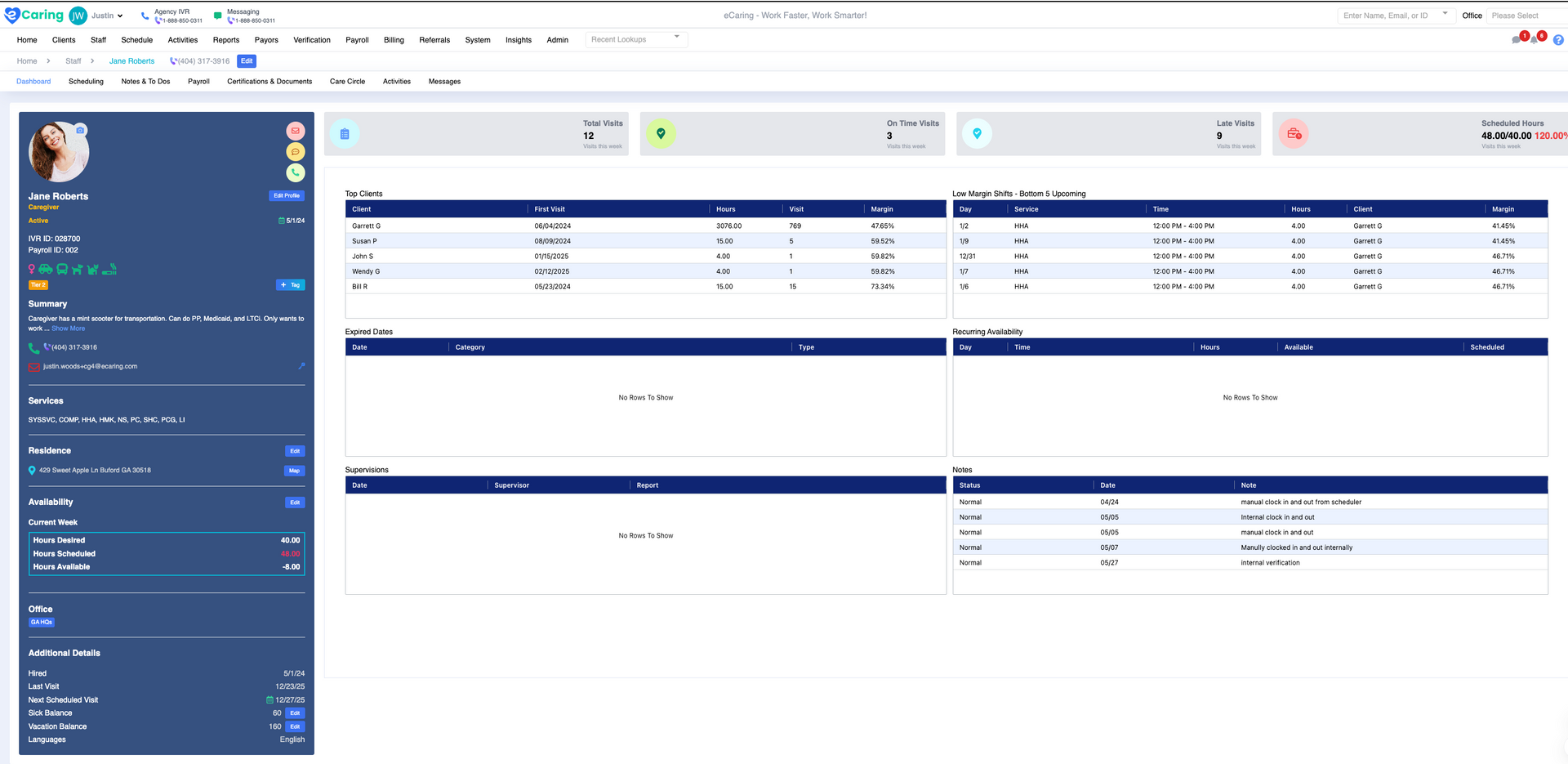
Profile Dashboard
Gain a comprehensive overview of each caregiver’s preferences, skills, address, and desired hours. The dashboard also highlights key metrics such as completed shifts, missed shifts, late clock-ins, and more.
- Easily manage PTO, vacation, and sick time, with automatic updates to accruals and shifts.
- View notes, expiring documents, recurring availability, and other critical information for efficient staff management.
Caregiver Scheduling
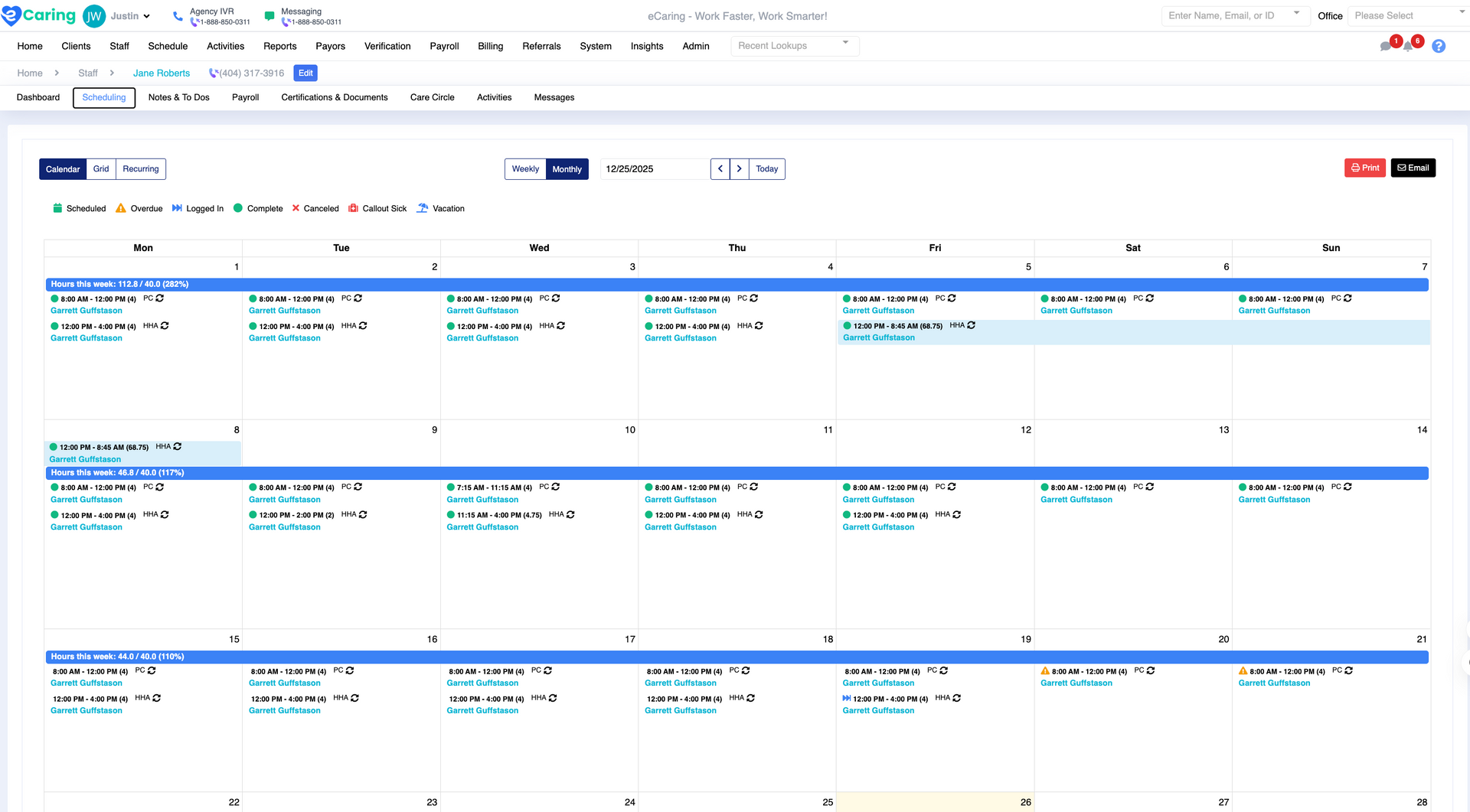
Access multiple calendar views (monthly and weekly) to track shifts and hours, ensuring proper caregiver coverage.
- View caregiver schedules and compare scheduled vs. desired vs. completed hours.
- Hover over any shift to view shift details like service type, status (completed, in progress, overdue), and edit on the spot.
- Email or print weekly/monthly schedules and send reminders to caregivers to clock-in and out via SMS.
- Automatic SMS notifications remind caregivers to clock-in/out.
Payroll & Time Off
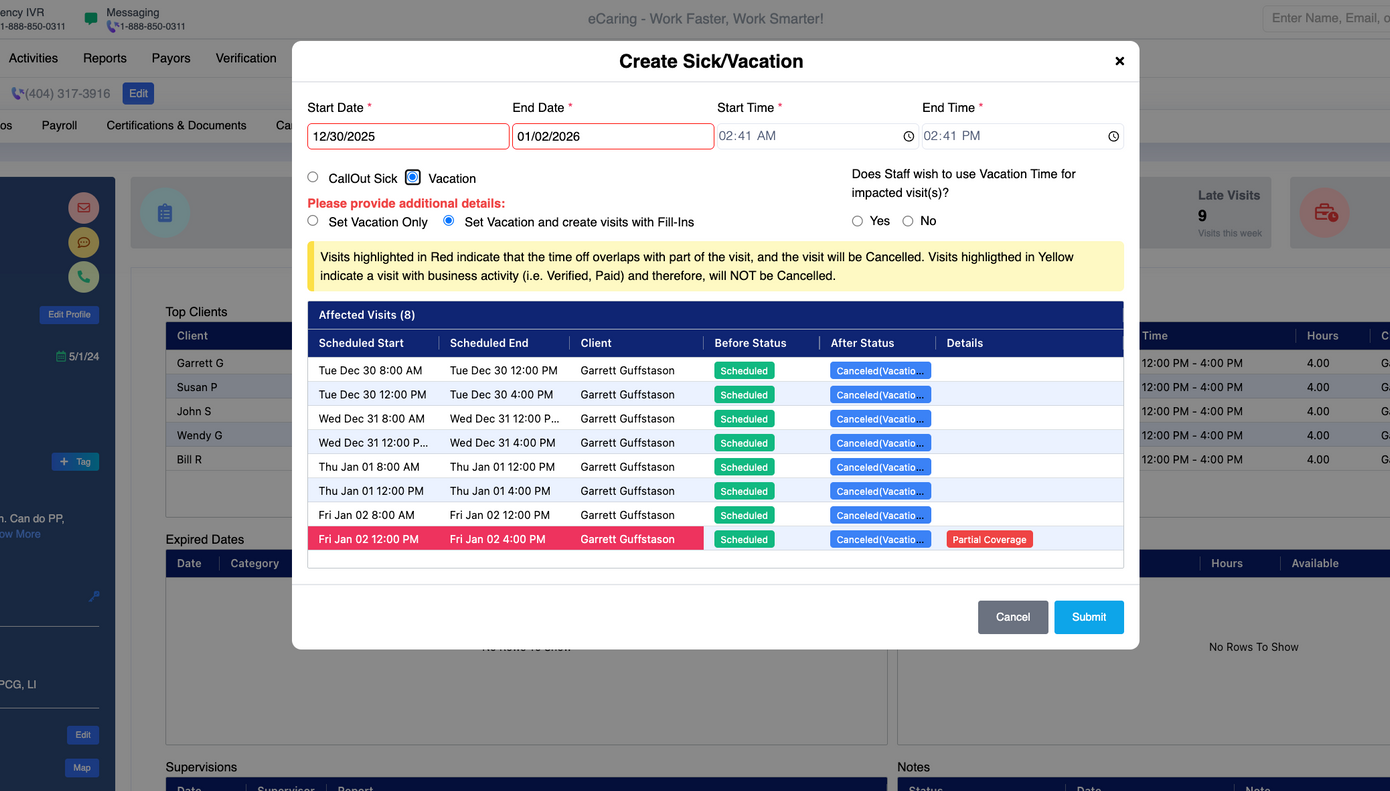
Streamline payroll and time-off tracking, without jumping between systems.
- Easily manage PTO, vacation, and sick time accruals and requests.
- Automatically remove caregivers from scheduled shifts and adjust accruals accordingly.
Notes & To-Dos
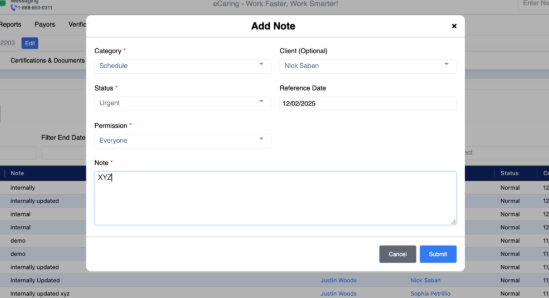
Document essential staff notes and assign tasks with priority levels, start/due dates, and categories.
- eCaring auto-generates system notes for administrative activities like shift adjustments, caregiver removal, and more.
- Keep track of all to-dos, ensuring compliance and internal organization.
- Easily filter notes and tasks by date range, category, or free-text search.
Pay Rate Management
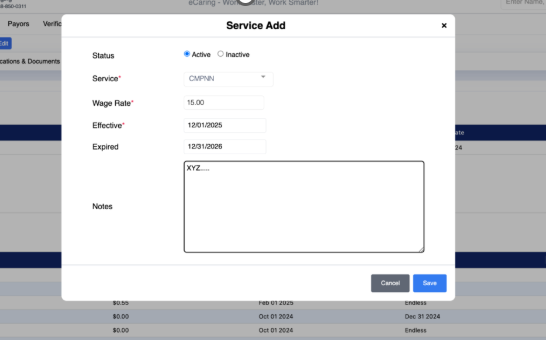
Manage custom payroll rates per caregiver and service, including travel time and mileage rates.
- Set rates for regular, overtime, travel time, client mileage, and more.
- Access detailed payroll history for each caregiver with easy filtering options.
Certification & Document Management
Track and manage all caregiver documents with ease.
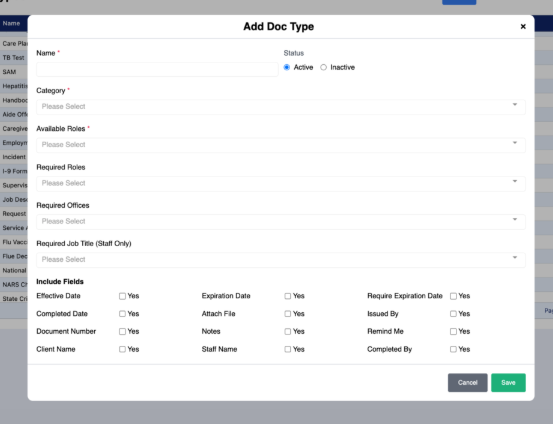
- Organize documents by custom types, set expiration dates, and send reminders.
- Upload and manage certification documents, track their status, and set renewal alerts.
- View all documents in an intuitive dashboard for quick access and easy tracking.
Visit Documentation
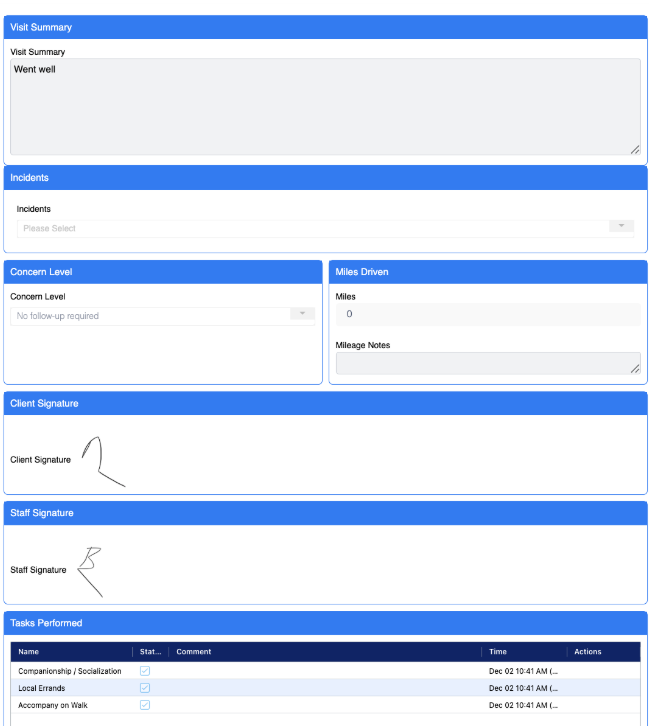
eCaring automatically records care logs for each completed shift.
- Quickly access detailed shift summaries, services performed, and any incidents.
- Essential for compliance and audits, allowing agencies to easily retrieve care logs for each caregiver and client.