eCaring's Client Hub
eCaring makes managing clients simpler by bringing profiles, scheduling, authorizations, documents, and care plans into one organized, easy-to-navigate hub. With smart filters, near real time updates, and seamless communication tools, agencies can manage clients more efficiently and deliver more consistent, reliable care.
Intuitive Dashboard
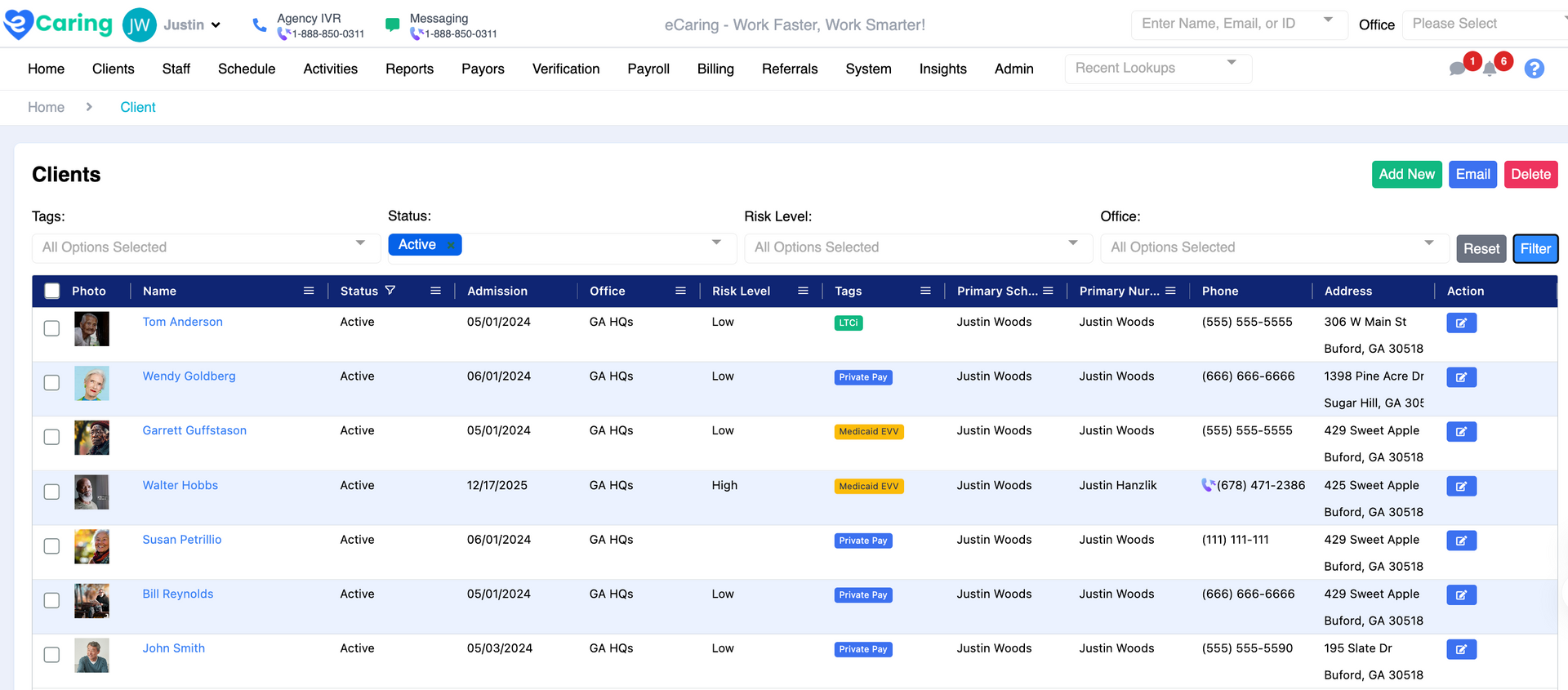
Easily add new prospects and client profiles to eCaring and manage them with customizable filters based on status, admission, risk level, primary scheduler, custom tags, and more.
- View and update client and prospect statuses with simple filtering.
- Use custom profile tags for segmentation and bulk messaging.
Profile Management
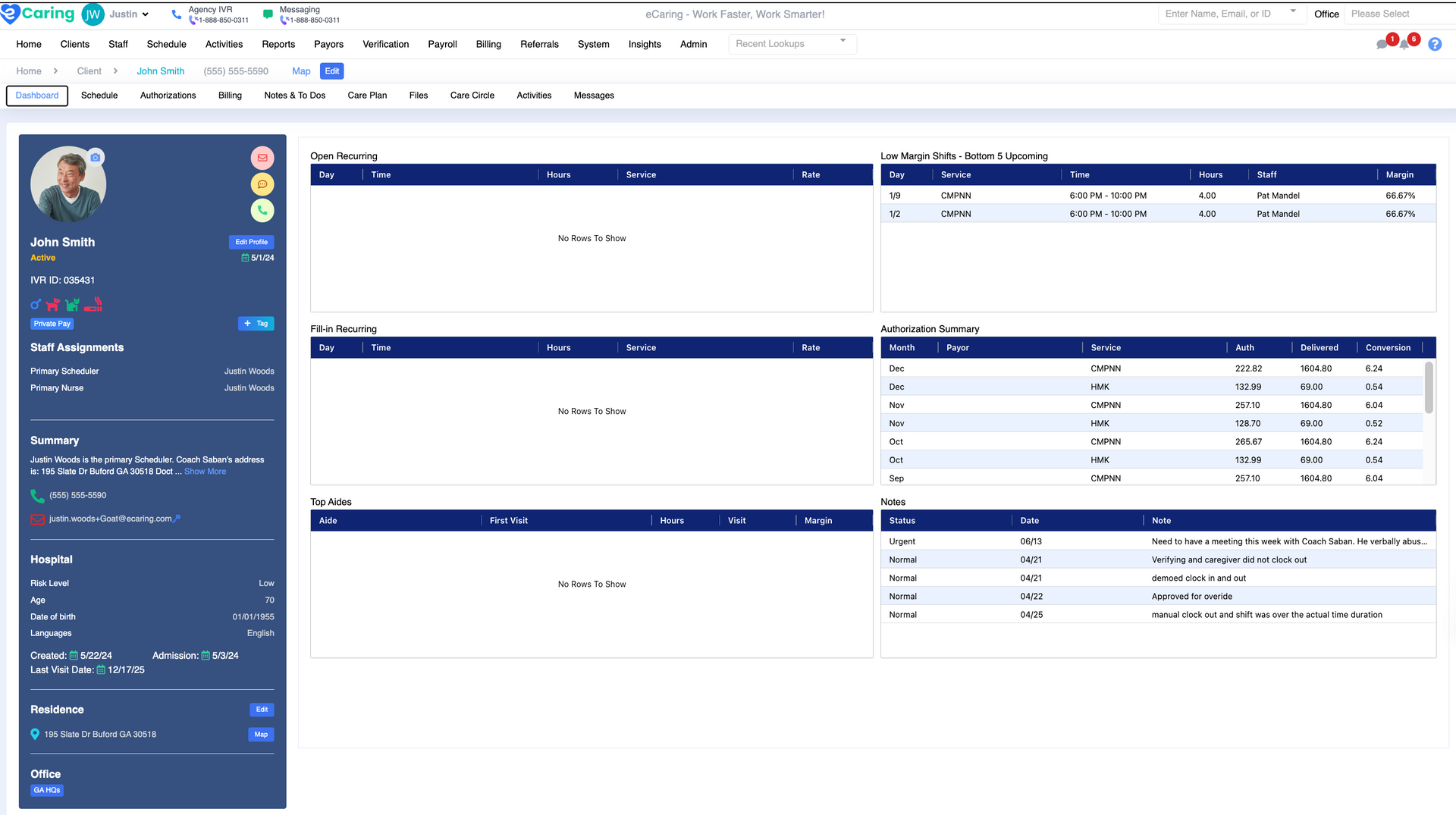
- Dashboard Management: Access key client details and information in one place.
- Scheduling: Create one-time or recurring shifts with optimal caregiver matching.
- Shift Broadcasting: Quickly broadcast open shifts to the best suited caregivers.
- Calendar Views: Use weekly and monthly views for easy scheduling.
- Quick Shift Edits: Easily modify shift details like status, notes, day, time, and services.
- Communication: Instantly communicate with clients and family members from the client profile.
Scheduling
Optimized Scheduling with Smart Matching
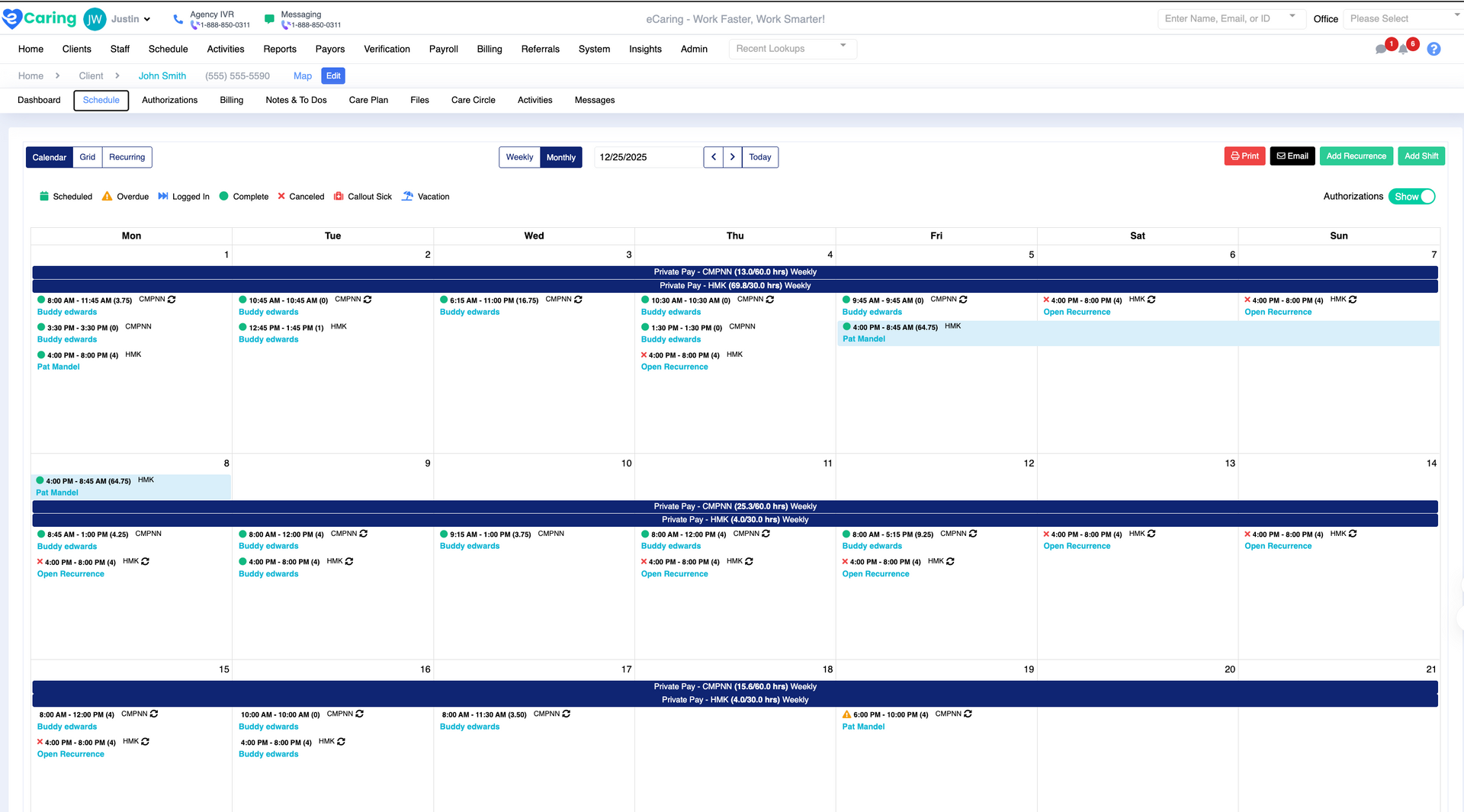
Create single or recurring shifts, matching clients with the best caregivers based on availability, skills, preferences, and other factors. eCaring’s smart scheduling helps you fill shifts quickly and efficiently.
Seamless Scheduling Edits
Easily make scheduling changes or add visit notes from the scheduling screen. With a single click, communicate with clients and caregivers while accessing all necessary shift details.
Authorization Management
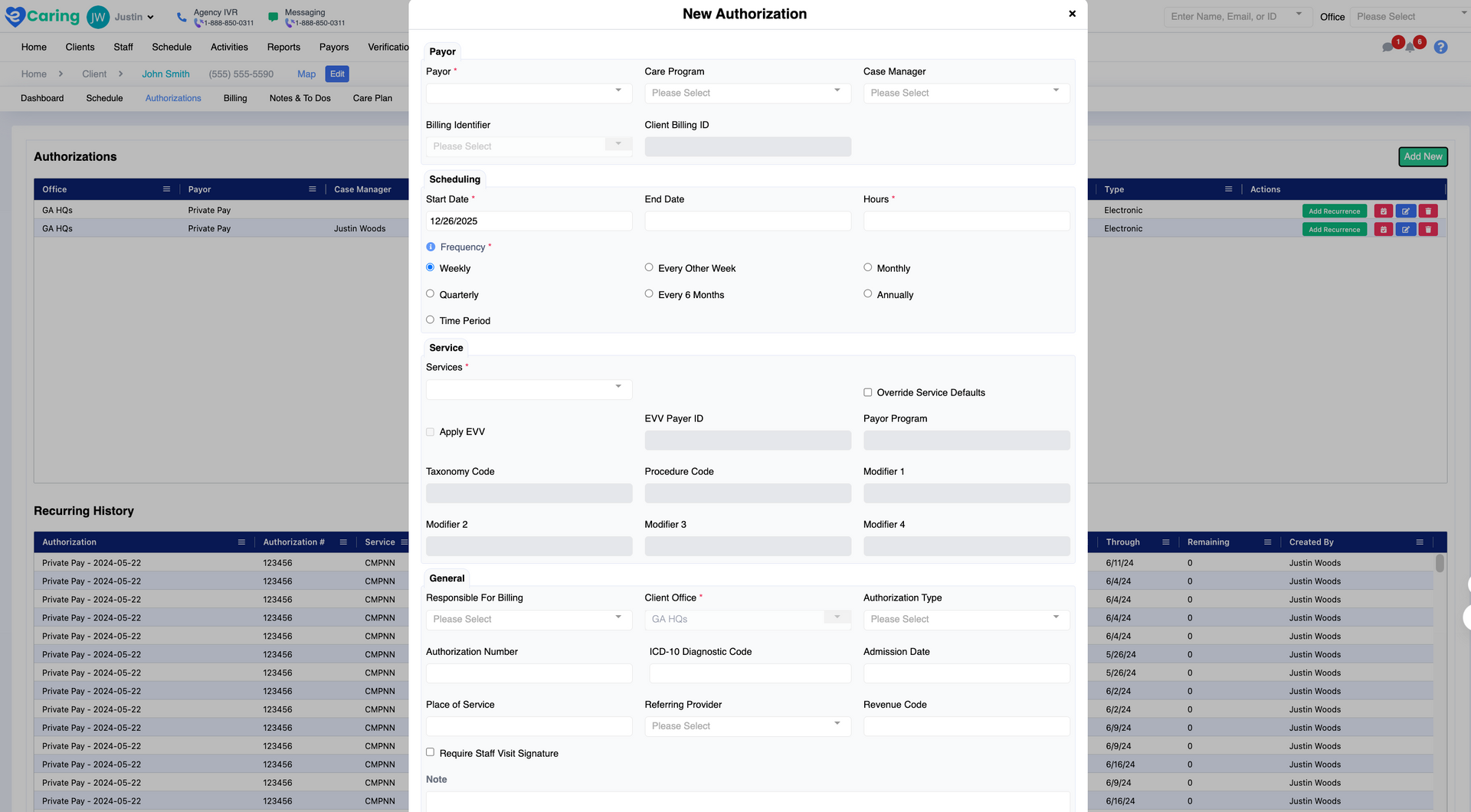
Track and manage client authorizations to ensure maximum utilization.
- Authorization Tracking: View and edit authorizations directly from each client profile.
- Maximize Utilization: Monitor and adjust authorization usage to avoid underutilization.
- Expiration Alerts: Set reminders to ensure authorizations are updated before they expire.
Care Plans
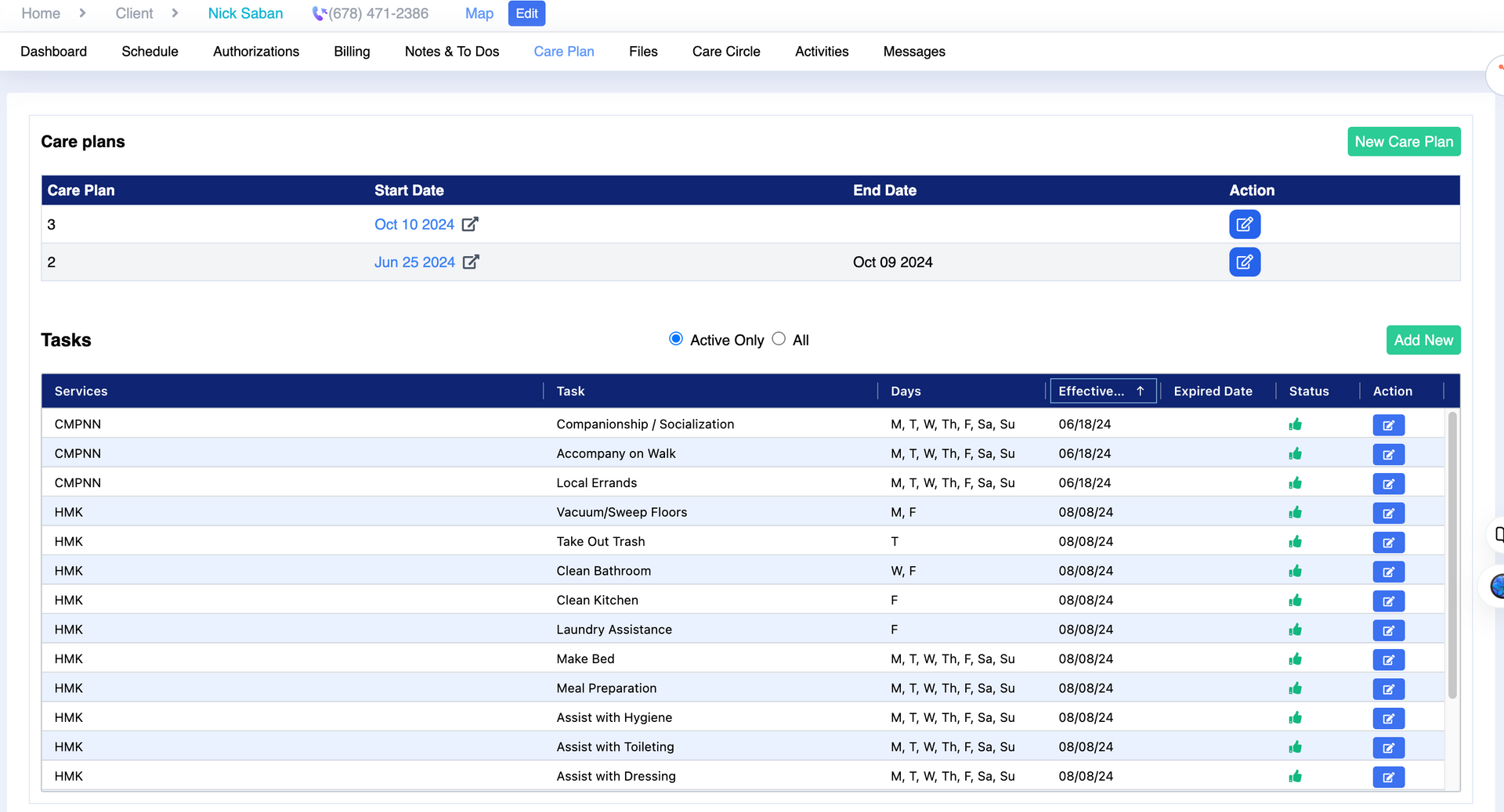
Simplify the creation and management of digital care plans for your clients.
- Create & Edit Care Plans: Easily set up and modify care plans, including tasks and services.
- Smart Scheduling: Automatically assign tasks based on the scheduled service.
- Task Tracking: Monitor the completion of services (ADLs & IADLs) in each shift.
Document Management
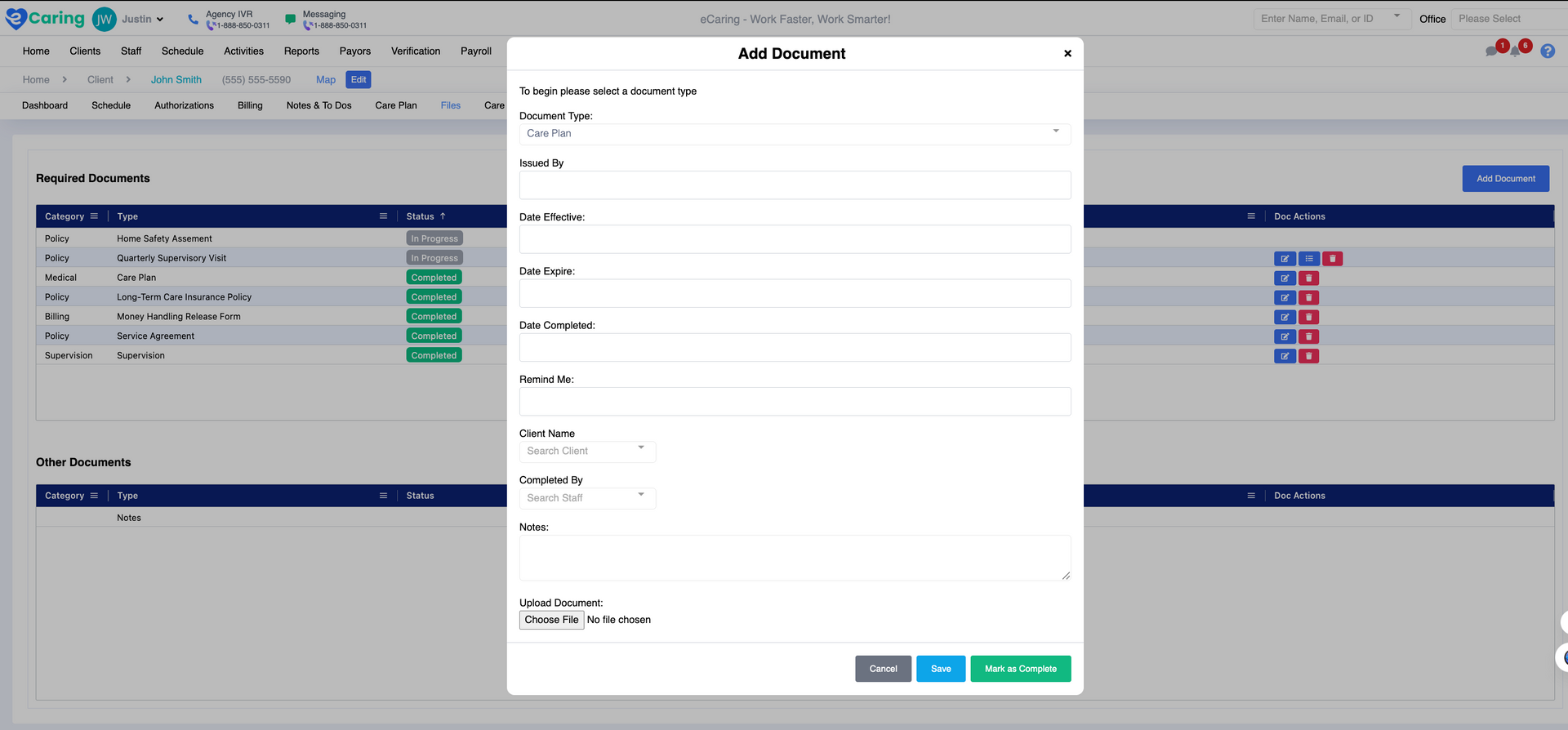
Organize and track all client documentation effortlessly.
- Custom Document Types: Upload, manage, and track documents for each client.
- Document Dashboard: Easily filter documents by type, date, and status.
- Reminders & Notifications: Set expiration dates and receive notifications for document updates.
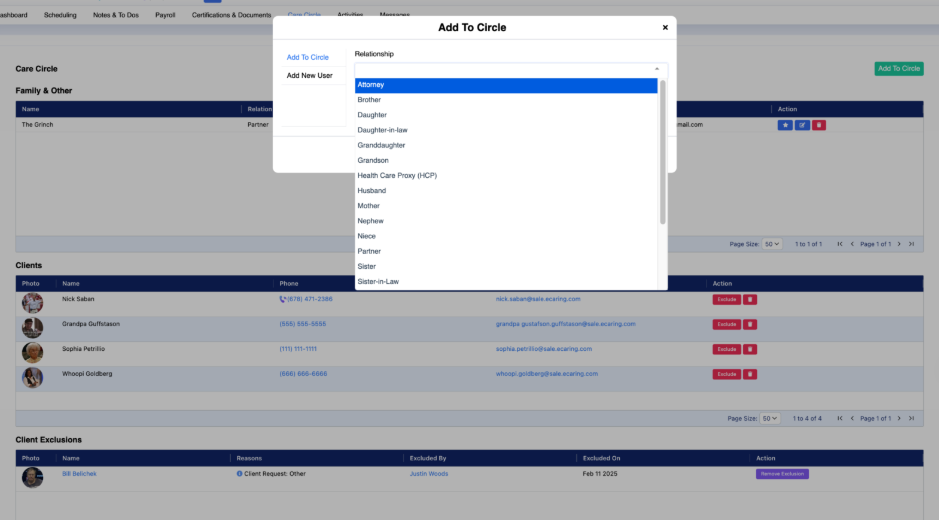
Care Circle
- Include family members, doctors or case managers, and approved caregivers
- Clearly identify which caregivers are approved for that client — and which are not — to avoid scheduling mistakes or unapproved assignments.
- Helps coordinate socialization, errands, meals, appointments, safety check-ins, and other needs.