Standardize the Service. Personalize the Care.
October 14, 2026
Reduce EVV Errors While Keeping Home Care Personal
Home care is personal.
It happens between an individual and a caregiver—in a client’s home or community, on a schedule shaped around that person’s needs, preferences, routines, and relationships.
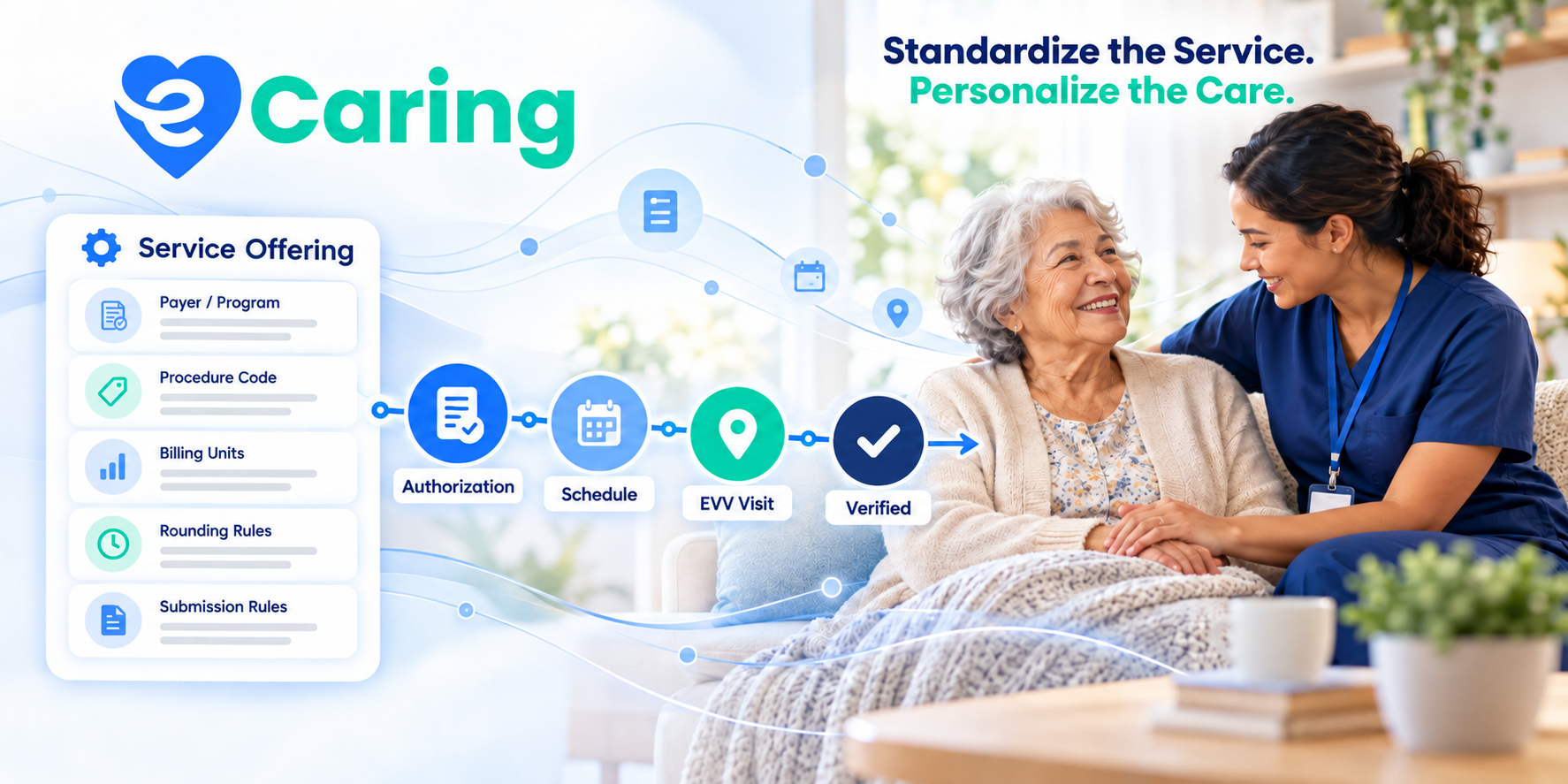
The administrative work surrounding that care is different. Payer identifiers, procedure codes, billing units, rounding rules, authorization limits, and Electronic Visit Verification requirements should not depend on someone remembering how to enter them every time.
That is the idea behind eCaring’s Service Offerings: standardize the operational rules surrounding a service so agency teams can focus more attention on the people receiving and providing care.
A Service Offering creates a reusable foundation for a specific service delivered under a particular payer or program. Once configured, that foundation follows the service through the client’s authorization, schedule, completed visit, EVV submission, verification, and billing workflow.
The agency defines the rules once. eCaring applies them where they belong.
The result is less repetitive data entry, more consistent records, clearer exceptions, and more time for the decisions that should remain personal.
Why Home Care Agencies Struggle With Service Data
A service can appear simple on a schedule: personal care, homemaking, respite, companion care, or another authorized service.
Behind that name, however, may be a detailed set of payer and program requirements:
- Which payer is responsible?
- Which payer program covers the service?
- What payer identifier must be submitted?
- Which procedure code and modifiers apply?
- How is a billing unit defined?
- How should time be rounded?
- Can scheduled hours exceed the authorization?
- What information must be captured during the visit?
- Where must the EVV record be submitted?
- What conditions must be satisfied before the visit is verified?
- How should the service ultimately be billed?
These rules may differ even when two services look nearly identical to the caregiver or client.
A one-hour personal care visit funded through one Medicaid program may require different identifiers, unit calculations, submission instructions, or billing rules than a similar visit covered by another payer.
When these details are entered manually at multiple points, agencies create more opportunities for inconsistency. The authorization may use one service configuration, the schedule another, the EVV record a third, and the claim yet another.
That creates administrative work and can lead to rejected EVV records, visits requiring manual correction, delayed billing, or claims that do not match the supporting visit information.
What Is an eCaring Service Offering?
An eCaring Service Offering is a reusable configuration that defines how an agency delivers, tracks, verifies, and bills a service for a particular payer or program.
Depending on the service and payer, that configuration can include information such as:
- Payer
- Payer program
- Payer and program identifiers
- Procedure code
- Applicable modifiers and qualifiers
- Billing-unit methodology
- Rounding rules
- Authorization controls
- EVV requirements
- Submission instructions
- Billing rules
- Other payer-specific service settings
Instead of rebuilding this information each time a new client receives the service, the agency configures the Service Offering and uses it as a template.
When the service is added to a client’s authorization, the appropriate operational rules are already connected to it.
This turns service setup into an intentional, repeatable process instead of a collection of disconnected data-entry decisions.
How Service Offerings Connect the Visit Workflow
The value of a Service Offering is not limited to initial configuration. Its value comes from carrying consistent information throughout the service lifecycle.
1. The Agency Configures the Service
The agency begins by defining how a specific service works for a particular payer or program.
For example, the configuration may identify the payer, program, procedure code, unit type, rounding method, EVV destination, and billing requirements.
This becomes the agency’s reusable definition of that service.
2. The Service Is Applied to the Client’s Authorization
When a client is authorized to receive the service, the authorization draws from the existing Service Offering.
Agency staff still enter the client-specific information that matters, such as:
- Authorization period
- Approved units or hours
- Frequency or service limits
- Effective dates
- Client-specific restrictions
- Applicable care instructions
They do not, however, have to reconstruct the underlying payer and service configuration from memory.
This makes the authorization both personal to the client and consistent with the service’s operational requirements.
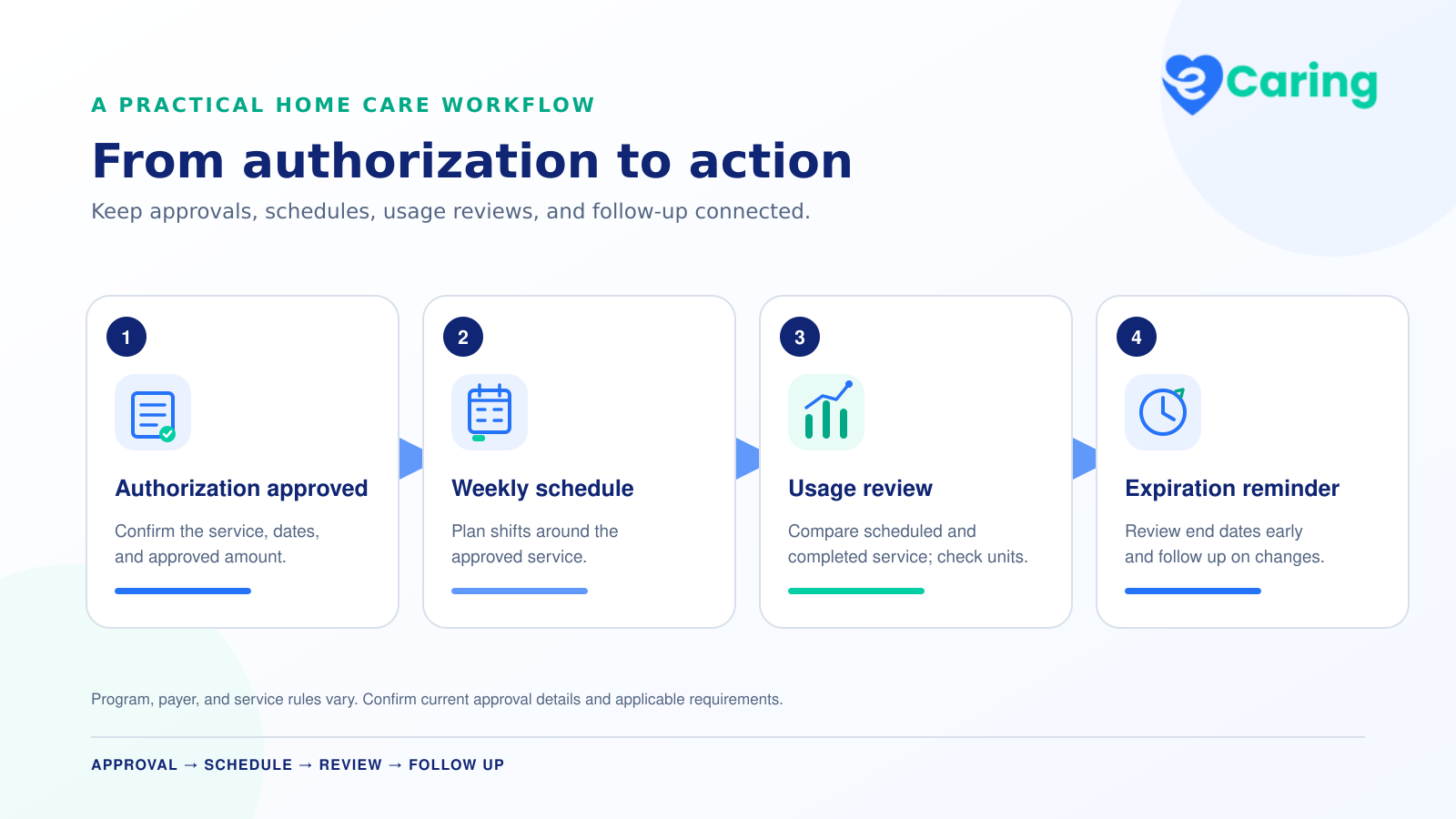
3. The Authorization Supports Scheduling
The authorized service then becomes the foundation for scheduling.
Schedulers can build recurring or one-time visits using the correct client, payer, service, and authorization. This helps keep the scheduled work aligned with what the client is approved to receive.
It also lets the scheduler concentrate on the human and operational questions:
- Which caregiver is qualified?
- Who has previously worked successfully with the client?
- Who is available?
- Which caregiver best fits the client’s preferences?
- How far would the caregiver need to travel?
- Would the assignment create overtime?
- How can the agency preserve continuity of care?
These are not questions that should be reduced to a procedure code.
They require context, judgment, and knowledge of the client and caregiver.
That is where eCaring’s Smart Scheduling Engine adds another layer. It helps schedulers evaluate caregiver-client compatibility using factors such as availability, preferences, location, historical care, utilization, overtime, and other agency-defined priorities.
The service rules can be standardized. The match remains personal.
4. The Caregiver Completes the Visit
When the caregiver begins the visit, the schedule already identifies the client, caregiver, service, payer, authorization, date, and expected time.
The caregiver should not need to understand every payer identifier or claim configuration behind the service. The field experience can remain focused on:
- Arriving at the correct location
- Clocking in and out
- Completing the care-plan tasks
- Documenting the care delivered
- Recording notes or follow-up needs
- Collecting required acknowledgments or signatures
- Responding to the client’s needs
eCaring keeps Electronic Visit Verification connected to the work the agency and caregiver are already performing. The required visit information is captured as part of the care-delivery workflow instead of through a separate administrative exercise.
5. eCaring Evaluates the Completed Visit
Once the visit is completed, eCaring’s Auto Shift Verification rules evaluate it against the agency’s expectations.
Depending on the agency’s configuration, those rules may consider:
- Clock-in and clock-out variance
- Visit duration
- Geofence compliance
- Completion of required tasks
- Required signatures
- Missing documentation
- Other verification conditions
If the visit meets the applicable rules, it can be automatically verified.
If something falls outside those rules, the visit is routed for review.
This changes verification from a process of manually inspecting every visit into a process of managing exceptions.
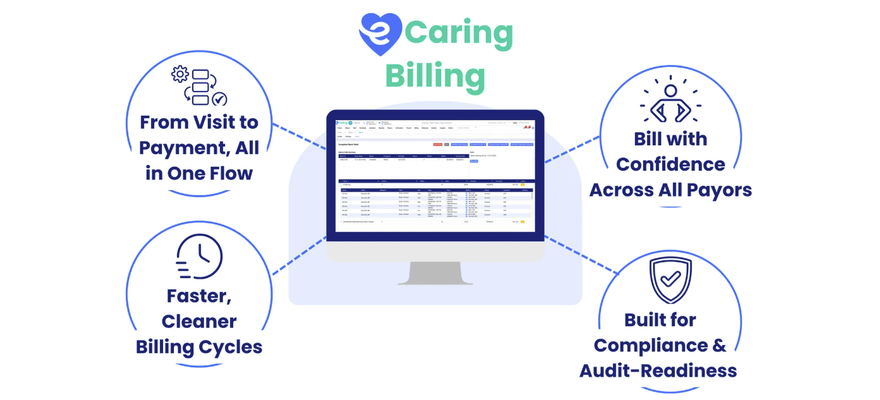
6. Verified Information Supports Billing
Because the visit originated with the appropriate service, payer, authorization, and schedule, the verified record already has the foundation needed for billing.
Billing teams do not have to recreate the visit from a timesheet or assemble its meaning across several disconnected systems. They can focus on confirming that the service is billable, resolving exceptions, and producing the appropriate billing output.
In eCaring, visits remain tied to their clients, services, payers, authorizations, EVV records, and supporting documentation. Billing becomes a review of connected data instead of a reconstruction project.
Automation Does Not Have to Make Care Impersonal
Technology can make care feel less personal when it is designed to replace human relationships or force every client into the same experience.
That is not what Service Offerings are intended to do.
They standardize the administrative rules—not the person.
A Service Offering can define which procedure code should be used. It should not decide which caregiver makes a client feel comfortable.
It can apply the correct billing-unit rules. It should not replace a scheduler’s understanding of a client’s routines, communication style, cultural preferences, or family dynamics.
It can determine whether a completed visit satisfies the agency’s verification rules. It should not determine whether the client-caregiver relationship is working well.
Good home care technology automates the repeatable work surrounding care while giving people more time and better information for the decisions that require empathy, experience, and judgment.
Why Consistency Matters for EVV
Electronic Visit Verification is not simply a clock-in and clock-out record.
An EVV record connects several pieces of information, including the service performed, the individual receiving it, the caregiver providing it, the date, the location, and the visit’s beginning and ending times.
State programs, managed care organizations, and EVV aggregators may also require payer-specific identifiers, procedure codes, modifiers, provider information, program information, or other submission fields.
A caregiver can complete a visit correctly and still have the EVV record rejected if the supporting configuration is wrong.
Common problems can originate before the caregiver ever arrives:
- The wrong payer or program is associated with the service.
- The procedure code does not match the authorization.
- A required modifier is missing.
- The payer identifier is incorrect.
- The billing units do not align with the service configuration.
- The visit is submitted through the wrong workflow.
- The schedule was created without the appropriate authorization.
These are configuration and data-flow problems—not failures of care delivery.
Service Offerings reduce the need to repeatedly enter these details by hand. They create a consistent starting point and carry that information forward through the connected workflow.
That does not guarantee that every EVV submission will be accepted or every claim will be paid. Requirements vary by state, payer, program, and service. Agencies still need to maintain their configurations, monitor responses, and resolve exceptions.
But when the correct rules are established at the service level and applied consistently, teams have fewer opportunities to introduce preventable variation.
Exception-Based Management Changes the Office Workload
Many agencies review visits one at a time because their systems cannot reliably distinguish routine visits from those that require attention.
That approach treats every visit as if it presents the same risk.
It also consumes time that could be spent resolving genuine problems.
eCaring takes a different approach:
- Establish the correct service and payer configuration.
- Apply it to the client’s authorization.
- Schedule the authorized service.
- Capture the visit and EVV information.
- Apply the agency’s verification rules.
- Automatically verify visits that meet those rules.
- Route exceptions to office staff for review.
- Carry verified service information into billing and payroll.
This does not eliminate oversight. It concentrates oversight where it is most valuable.
Instead of asking, “Has someone manually opened every completed visit?” the agency can ask:
- Which visits failed a required rule?
- Which records are missing information?
- Which visits occurred outside the expected time or location?
- Which submissions were rejected?
- Which exceptions could affect billing or payroll?
- Who is responsible for resolving each issue?
That is a more scalable way to manage a growing volume of care.
An Example of the Connected Workflow
Consider a client authorized for a Medicaid-funded personal care service.
The agency has already configured the applicable Service Offering with its payer, program, procedure code, billing-unit rules, rounding method, EVV requirements, and submission instructions.
When the authorization is created, that established service configuration is applied. The scheduler then creates the client’s recurring visits against the authorization and uses eCaring’s matching tools to select a caregiver with the right qualifications, availability, location, and relationship fit.
The caregiver completes the visit, records the required information, and clocks out.
If the completed visit falls within the agency’s time and location thresholds, contains the required documentation, and satisfies the remaining verification rules, eCaring can automatically verify it.
Office staff do not need to review that routine visit manually. Their attention can remain on visits with missing documentation, unexpected time variances, geofence exceptions, rejected submissions, or other conditions requiring judgment.
The service configuration remained consistent throughout the workflow—but the actual care experience was still built around that individual client.
The eCaring Difference
The eCaring difference is not one isolated feature.
It is the way the platform connects the work:
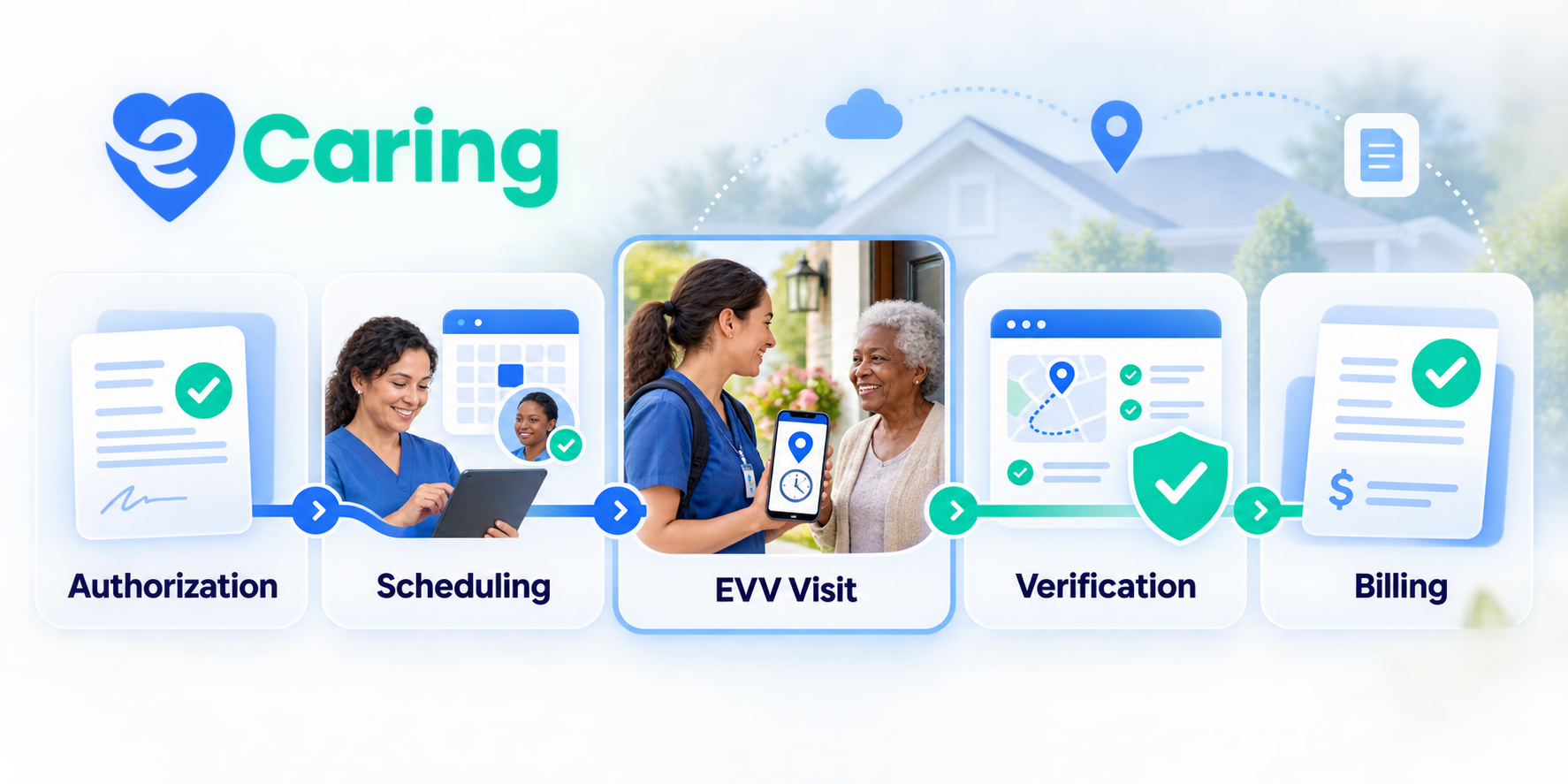
Service Offering → Authorization → Scheduling → Caregiver Match → Visit and EVV → Auto-Verification → Billing
Each step builds on the information established before it.
Service Offerings provide a consistent operational foundation. Authorizations make that service specific to the client. Smart Scheduling helps the agency pair the client with an appropriate caregiver. EVV captures what occurred. Auto-Verification applies the agency’s expectations. Exception-based workflows direct staff toward the visits that genuinely need attention.
The technology handles more of the repeatable administrative work so the agency can focus on the work that is not repeatable:
- Understanding each client
- Supporting caregivers
- Preserving continuity of care
- Solving scheduling challenges
- Communicating with families
- Responding when needs change
- Building relationships that make home care successful
Home care does not become less personal when its data becomes more consistent.
When designed correctly, standardization protects the operational foundation—and creates more room for personal care.
Frequently Asked Questions
What Is a Service Offering in Home Care Software?
A Service Offering is a reusable configuration that defines how a particular service operates for a payer or program. It can include procedure codes, payer information, billing units, rounding rules, authorization controls, EVV requirements, and submission instructions.
How Can Service Templates Reduce EVV Errors?
Templates reduce the need to re-enter payer and service data for every authorization or visit. Applying a consistent configuration helps keep the authorization, schedule, EVV record, verification workflow, and billing record aligned.
Does Automatic Verification Mean No One Reviews the Visits?
No. Visits that meet the agency’s configured rules can be automatically verified. Visits with missing information, unexpected variances, geofence issues, incomplete tasks, absent signatures, or other exceptions can be routed for manual review.
Does an Automatically Verified Visit Guarantee Payment?
No. Verification establishes that the visit satisfied the agency’s configured rules. Payer acceptance and payment may still depend on eligibility, authorization, coding, timely filing, documentation, EVV aggregator acceptance, and other program requirements.
How Does Standardization Support Personalized Care?
It reduces the repetitive administrative work required to manage payer and service rules. Schedulers and care teams can spend more attention on client needs, caregiver compatibility, continuity, communication, and service quality.
Standardize the Work Around Care—Not the Care Itself
When service configuration, authorization, scheduling, EVV, verification, and billing operate as one connected workflow, agency teams spend less time rebuilding information and more time responding to the people who need them.
See how eCaring connects authorization, scheduling, EVV, verification, and billing.
This article provides general operational information and is not legal, coding, or reimbursement advice. Medicaid, EVV, authorization, and billing requirements vary by state, program, payer, service, and provider type.